
Show Card Data
Integration
This diagram illustrates the process of displaying card data.
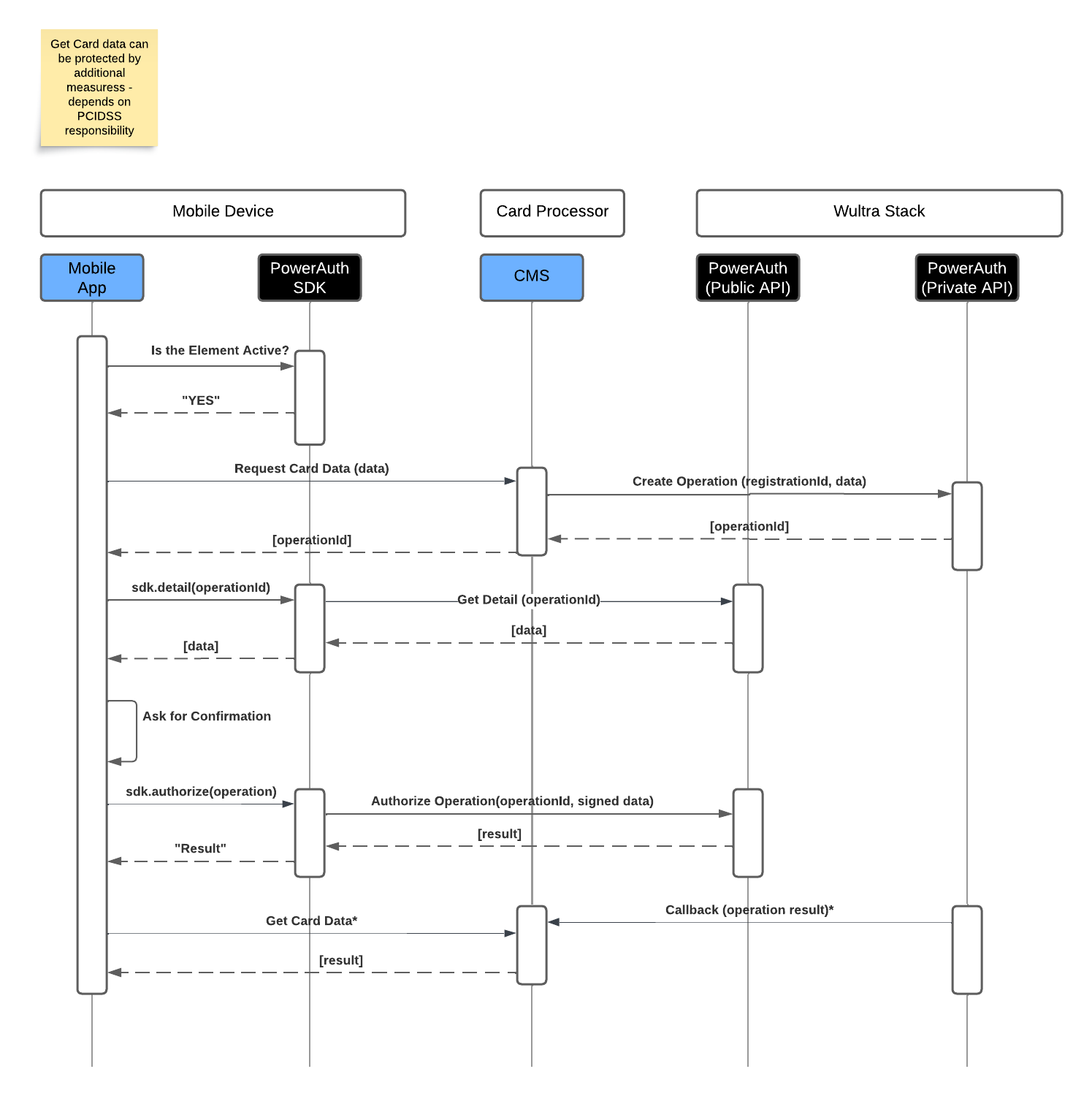
- The process begins with the mobile app verifying if the security element is active. Once confirmed, the user requests card data. The request is sent to the CMS, which calls Wultra to create a new operation for the given registration ID and data.
- Wultra system creates a new operation with a unique ID, and it is sent to the mobile app. The app retrieves the operation details using the operation ID, and the data is displayed to the user for confirmation.
- Once the user confirms it, the PowerAuth SDK generates a cryptographic signature (with signed data) and sends it back to Wultra SaaS for validation. Upon successful validation, the result is sent to the CMS, which processes the request and retrieves the card data. The result is then displayed to the user on the mobile app.
- Additional security measures can be applied to protect card data based on the organization’s PCI DSS responsibility.