
Payment (Web App)
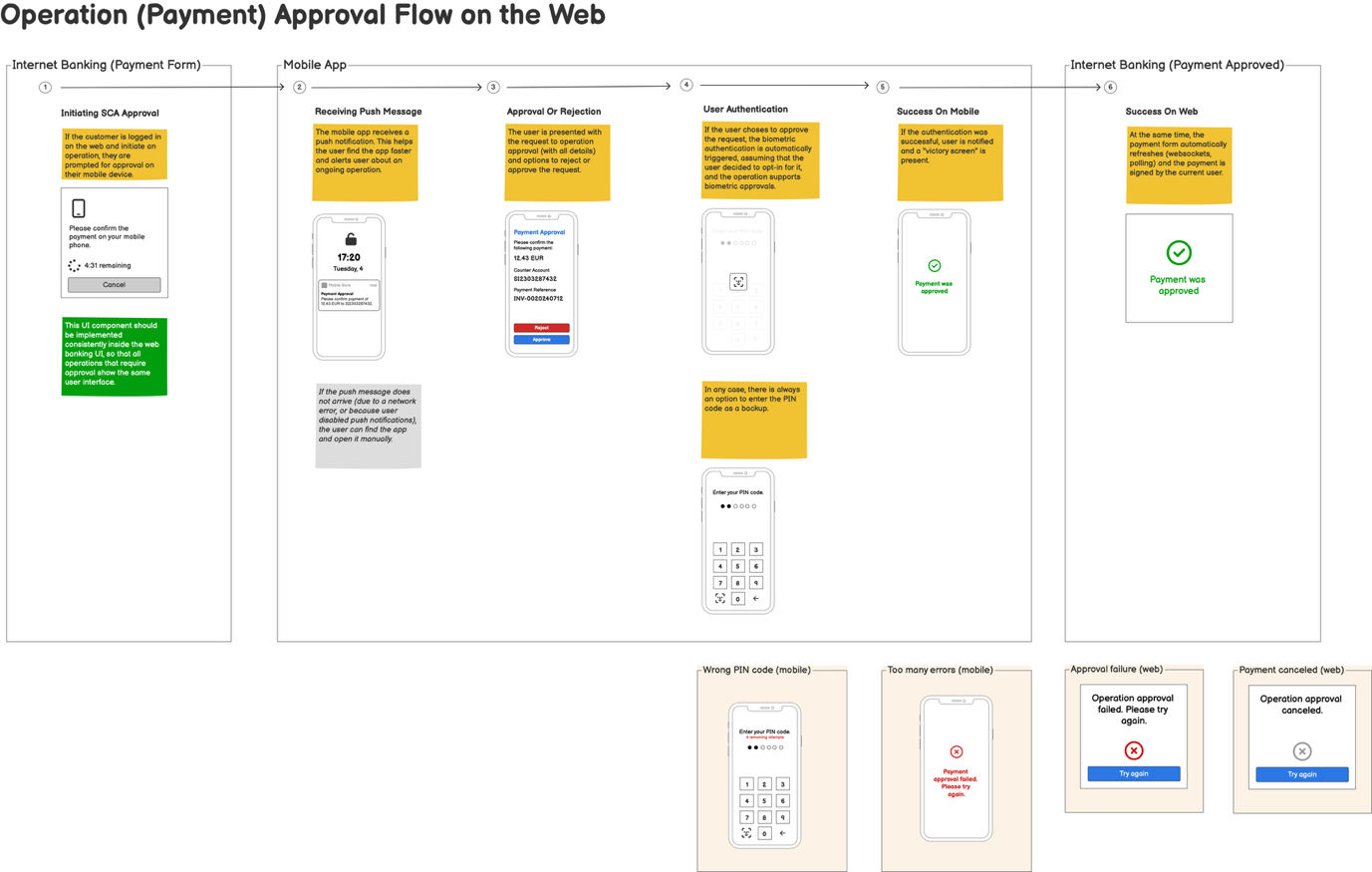
User Journey
This diagram illustrates the flow for executing a payment operation in a web banking application.
Integration
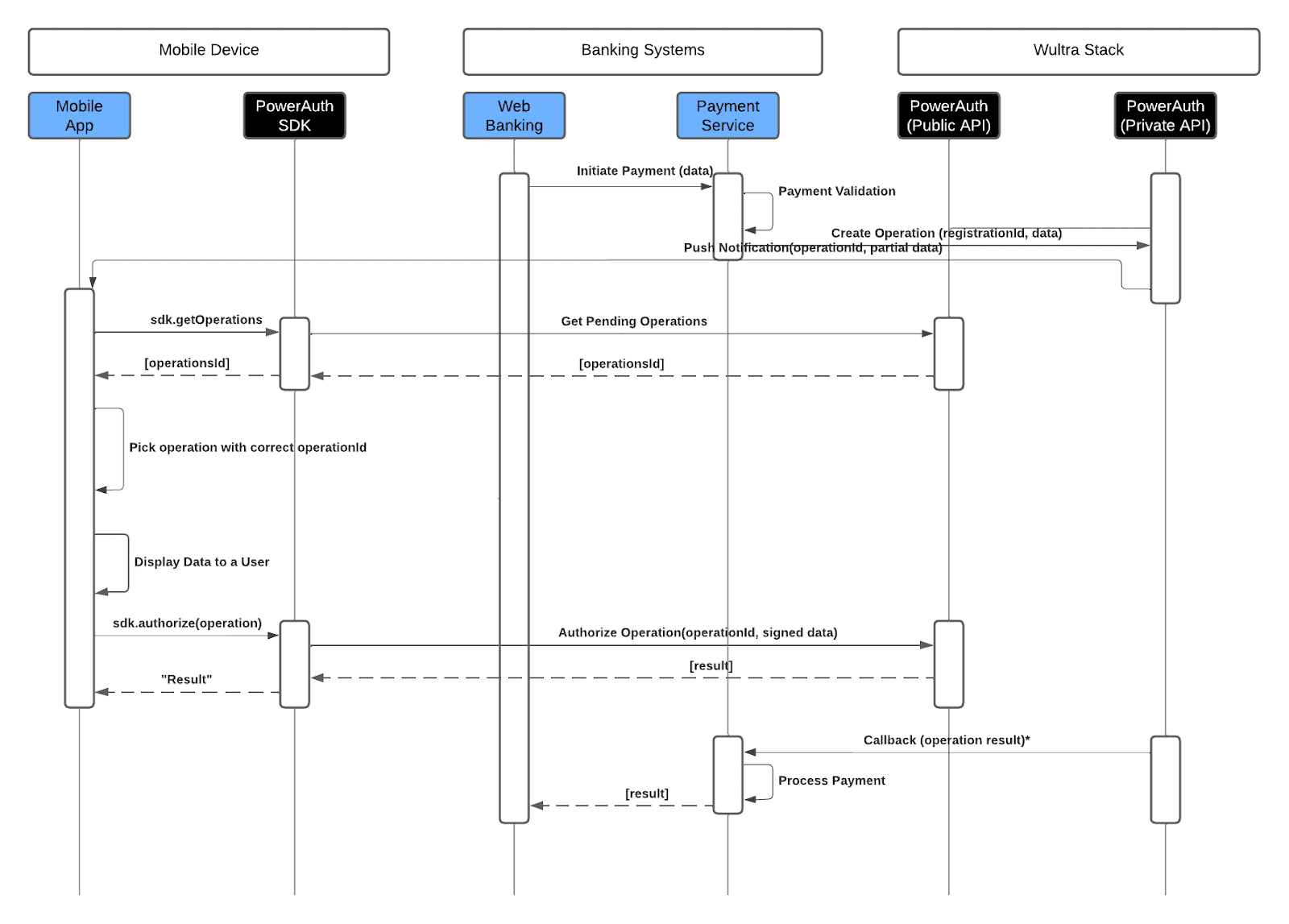
- The process begins when a user initiates a payment through the web banking app. The payment request is sent to the Bank Payment Service for validation. Once validated, the Payment Service creates an operation with the Wultra system (based on registration ID and payment data), and the Wultra system sends a push notification containing the operation ID and partial data to the mobile app.
- The mobile app retrieves the operation details using the operation ID, and the payment information is displayed to the user for confirmation.
- Once the user confirms the payment, the PowerAuth SDK generates a cryptographic signature (with signed data) and sends it back to Wultra for validation.
- Upon successful validation, the mobile app receives the result if the operation was successfully confirmed, and the result of the operation is also sent back to the Bank Business Service (via callback or polling) so it can be displayed in the web banking app, completing the operation securely.