
Onboarding New Customers at the Branch
User Journey
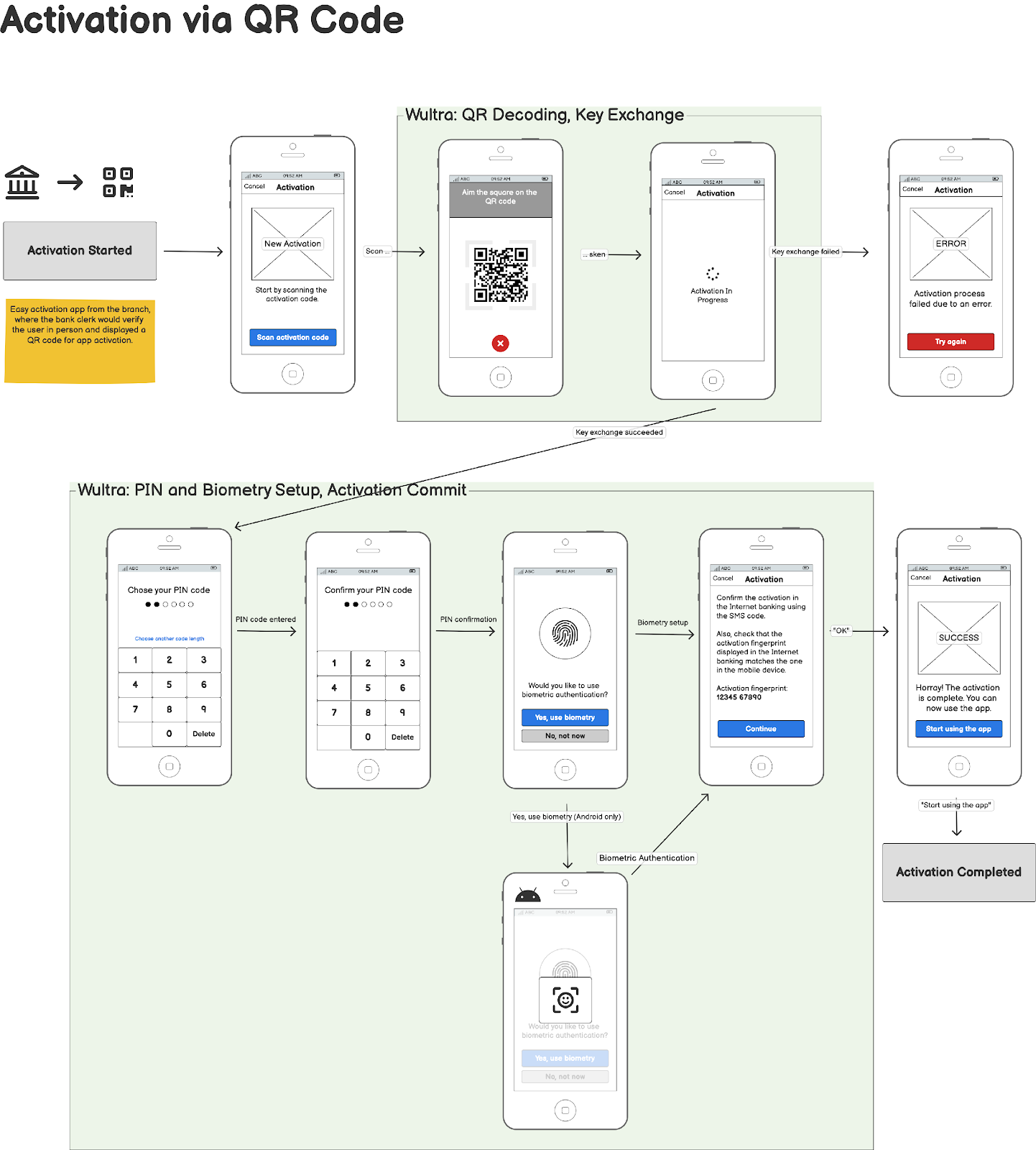
The following diagram illustrates an overview of the onboarding of new-to-bank customers at a branch and the process for Strong Customer Authentication (SCA) activation.
Integration
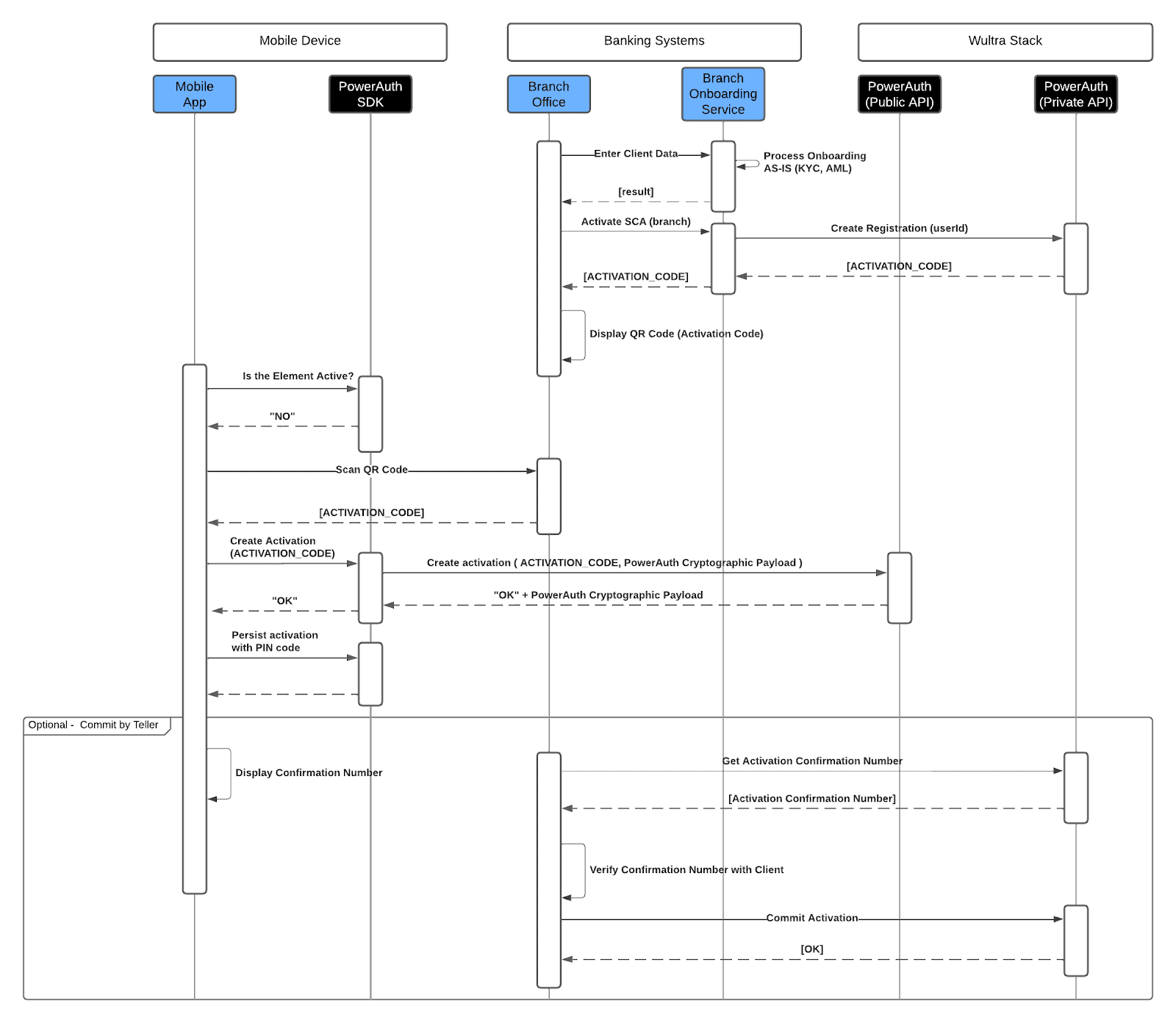
- The journey begins at the Branch Office, where the client’s data is entered into the bank system for processing through the Branch Onboarding Service.
- If the standard KYC and AML checks to verify the client’s identity and eligibility are successful, the service proceeds with initiating a new registration for the provided user ID by calling the Wultra API - Create New Registration endpoint.
- During this process, the Wultra backend system generates an activation code, and the service returns fully prepared content for the registration QR code (you can simply grab the response and encode it using your preferred QR code generator library).
- This activation code is then displayed as a QR code at the branch office and is visible to the client for scanning using the mobile app.
- On the client side is a mobile app integrated with the PowerAuth SDK, which facilitates the scanning of the QR code and the creation of the activation.
- Upon scanning the QR code, the mobile app receives the Activation Code.
- At this stage, the PowerAuth SDK on the mobile device initiates an activation request by sending the activation code and cryptographic payload to the Wultra backend services for verification. The Wultra backend system then verifies this request.
- If the request is validated successfully, the client receives an acknowledgment (“OK”) along with the PowerAuth cryptographic payload.
- The app then prompts the user to set up a PIN code, persisting the activation data securely within the device. The mobile app is now linked to the user’s bank account and ready for secure transactions.
Optional Step: In some cases, the branch teller may manually commit the activation.
- In this optional step, the teller interacts with the system to finalize the registration process.
- The mobile app displays a confirmation number that is compared to the activation confirmation number generated by the Wultra system.
- These two confirmation numbers are manually compared, and if they match, the branch teller can confirm and finalize the activation process.