
Reactivation via Video Call on the Web Banking
User Journey
This diagram outlines mobile banking app reactivation for a client through a video call on the web.
Integration
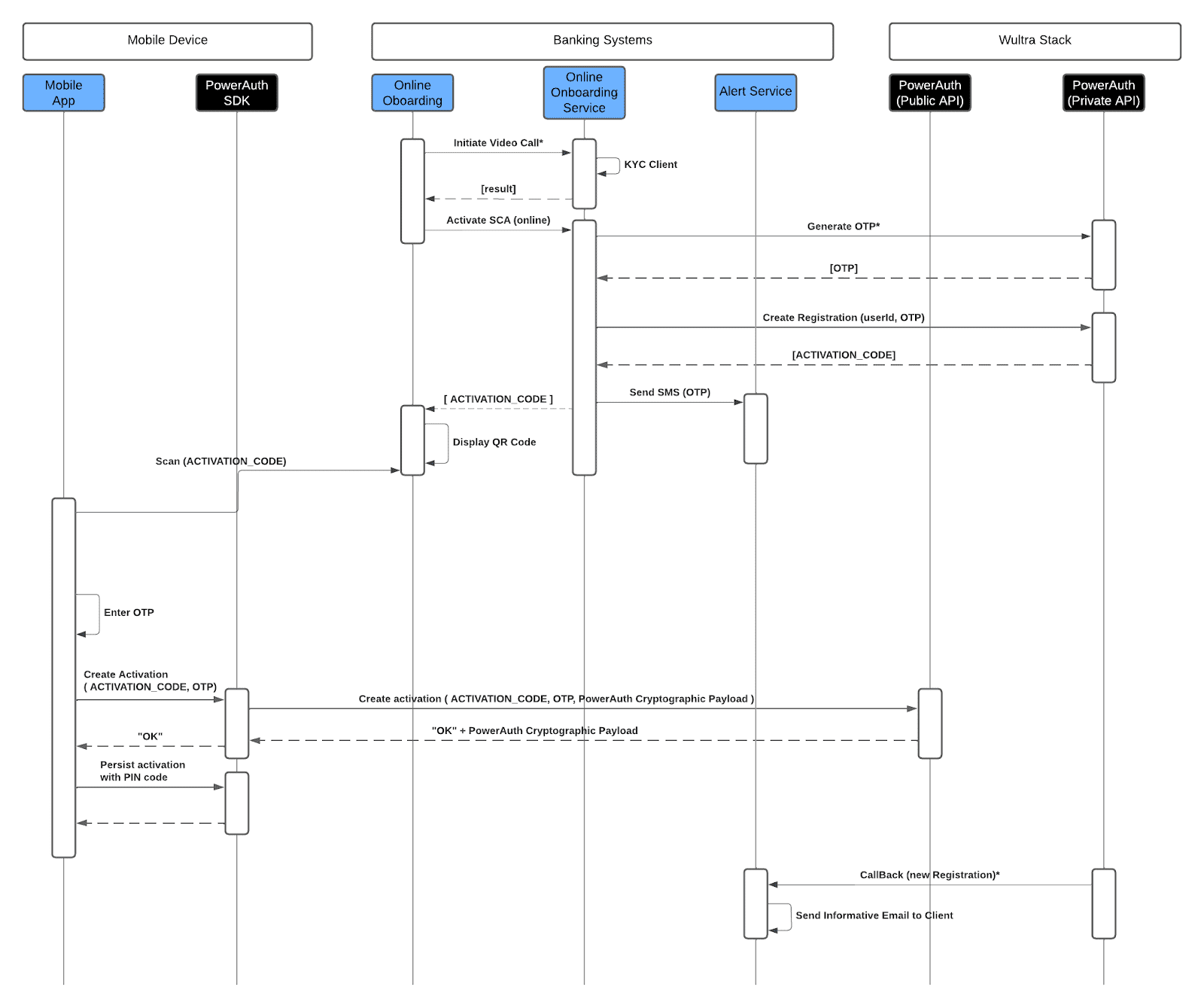
- The onboarding service on the Bank side handles the KYC verification. Once the client’s identity is confirmed, the system triggers the activation of Strong Customer Authentication (SCA).
- During the SCA activation, the Bank onboarding service communicates with Wultra’s backend to generate a unique One-Time Password (OTP). This OTP is sent back to the Bank side that calls the endpoint to create a new registration (as parameters passing the OTP and userID).
- The Wultra system generates an activation code that is needed for account reactivation.
- The OTP is sent to the client’s registered mobile device through SMS, while the activation code is presented to the client as a QR code in the web application. The client uses the mobile app integrated with PowerAuth SDK to scan the QR code, initiating the reactivation process in the mobile app.
- The client then enters the OTP received via SMS into the mobile app. With the scanned activation code and the OTP, the app sends a secure activation request containing the activation code, OTP, and cryptographic payload to the Wultra backend system for verification.
- Upon successfully verifying the activation request, Wultra’s backend returns an acknowledgment (“OK”) along with a PowerAuth cryptographic payload.
- Then, the client is prompted to set up a PIN code, which is used to securely persist the activation data on the device. This step finalizes the mobile app’s binding, enabling new SCA.
- Upon completing the reactivation, the Wultra system sends a callback to the bank’s alert service, and an email confirming the successful reactivation is sent to the client.