
Reactivation via OIDC
User Journey
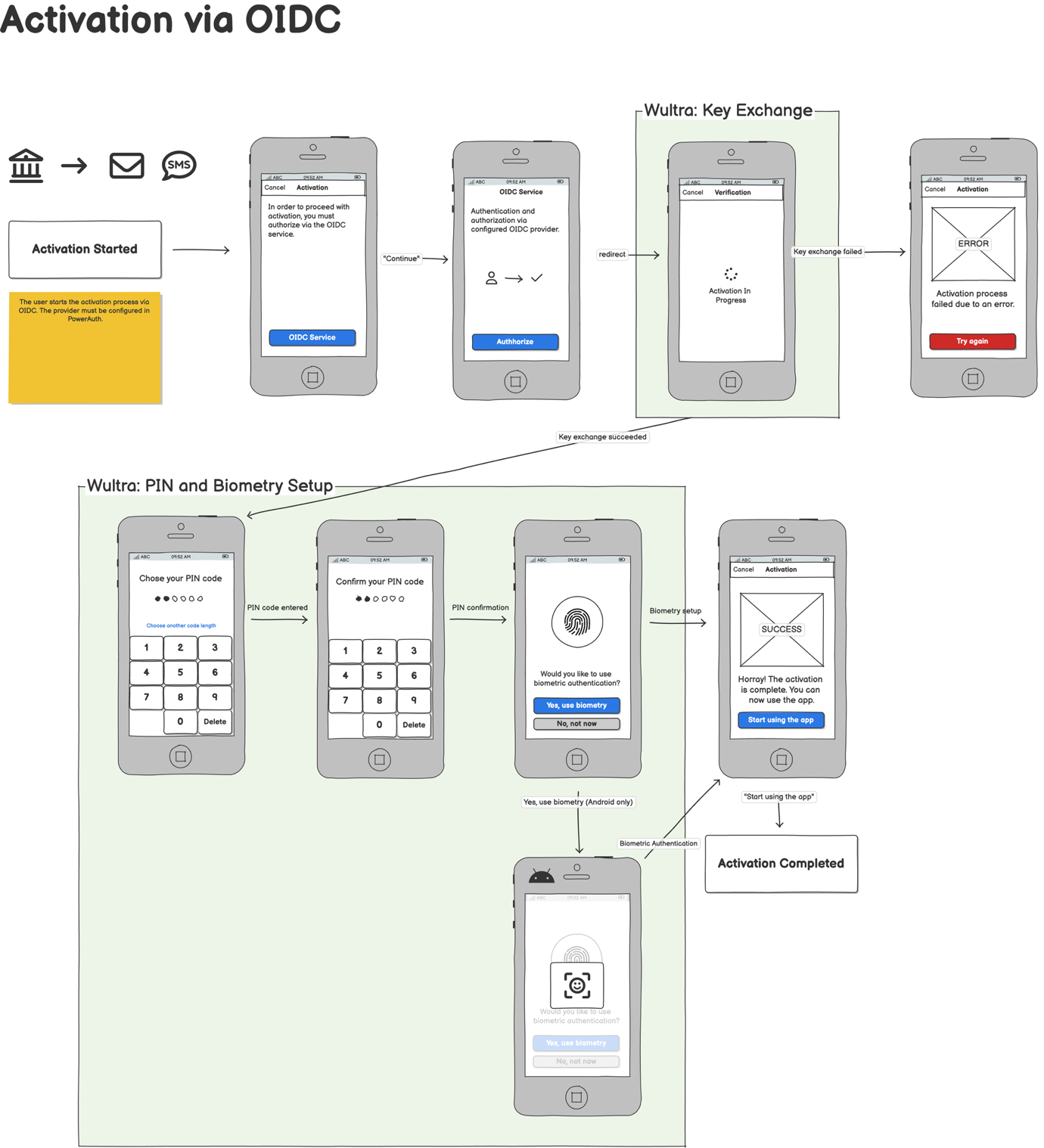
This diagram outlines the process of online reactivation using custom Open ID Connect (OIDC), specifically using Authorization Code flow.
Integration
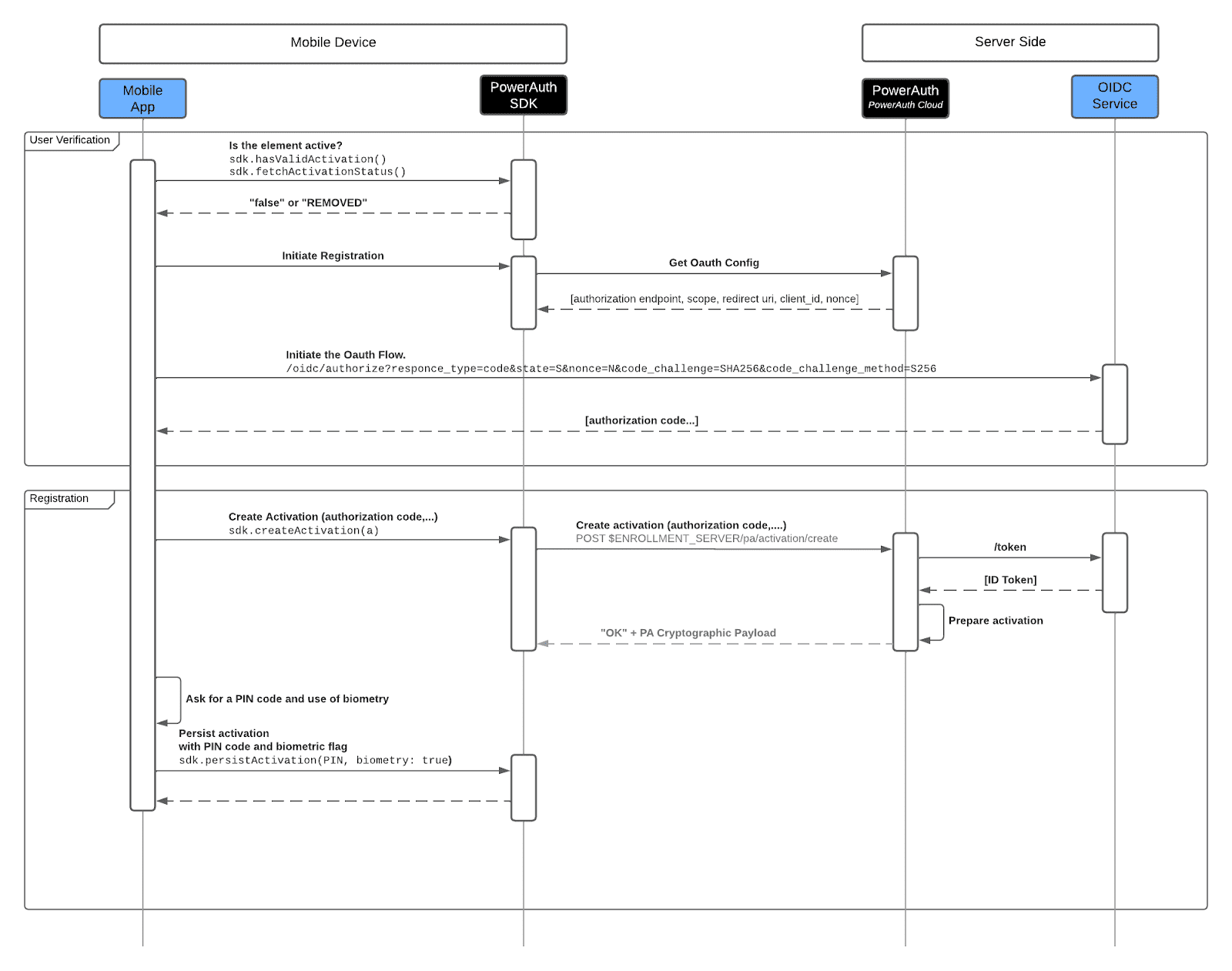
- The reactivation process begins on the mobile device, where the PowerAuth SDK checks whether the authentication element is active. If the element is not active, the reactivation process can be initiated.
- The mobile app initiates the process via PowerAuth SDK to get OAuth configuration from the Wultra backend.
- When the app receives config, the user is sent to the OIDC Service. It can be done via an info page with a link/button where the link contains required configuration.
- The user must authenticate on the OIDC service and authorize the request. The service will then return an authorization code, after which the user will be redirected back to complete the activation process.
- The authorization code is used to create activation via SDK. The PowerAuth backend requests an “ID Token” from the OIDC Service. The ID token contains the user identifier that will be used for activation.
- Upon successful verification, Wultra returns an “OK” response along with a cryptographic payload.
- Finally, the client is prompted to set up a PIN code and allow biometry, which is used to securely persist the activation data on the device. This step finalizes the mobile app’s binding, enabling new SCA.