
Onboarding New Customers Online
User Journey
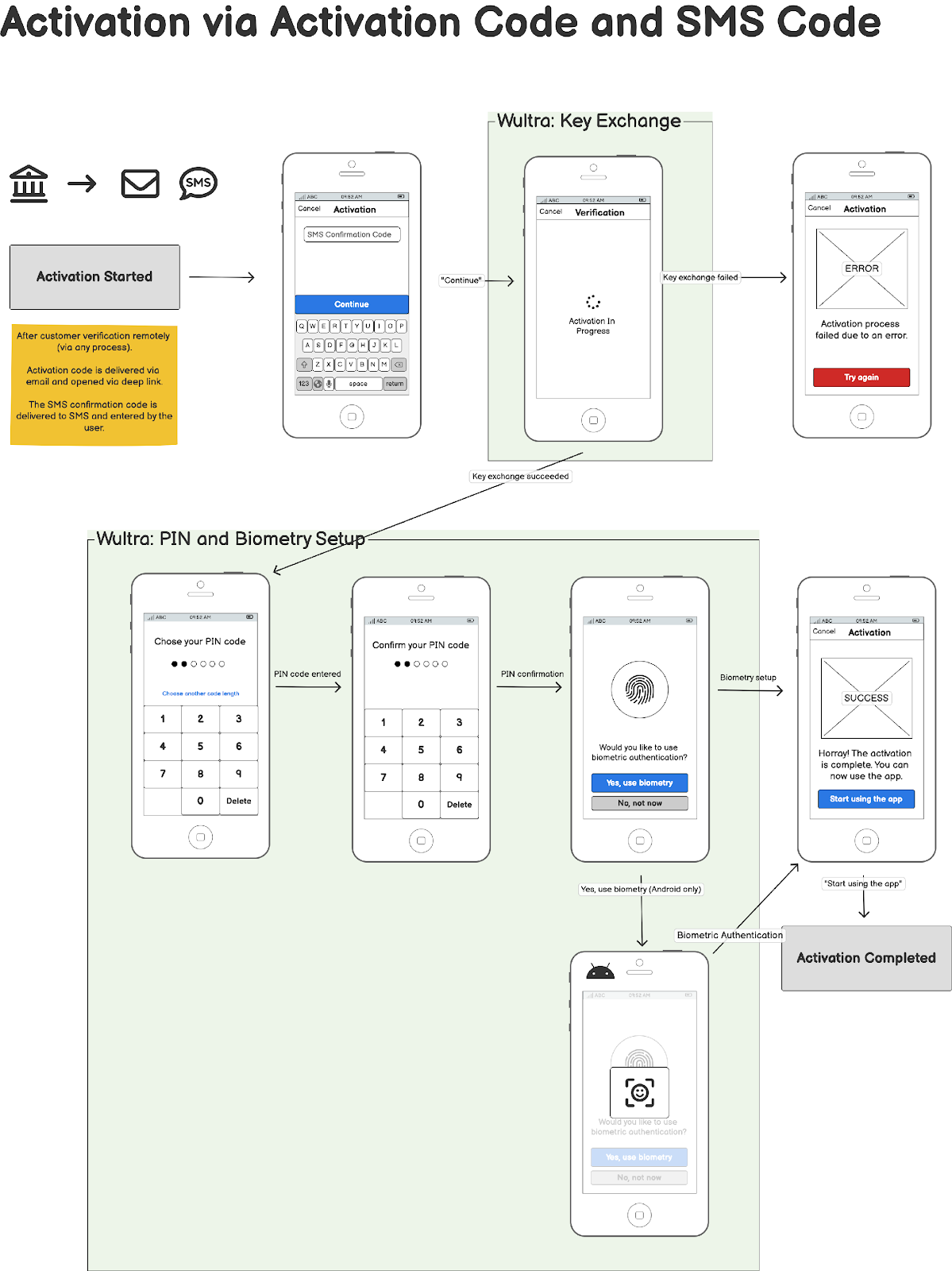
The diagram illustrates an overview of the online onboarding of new to-bank customers and the process for Strong Customer Authentication (SCA) activation.
Integration
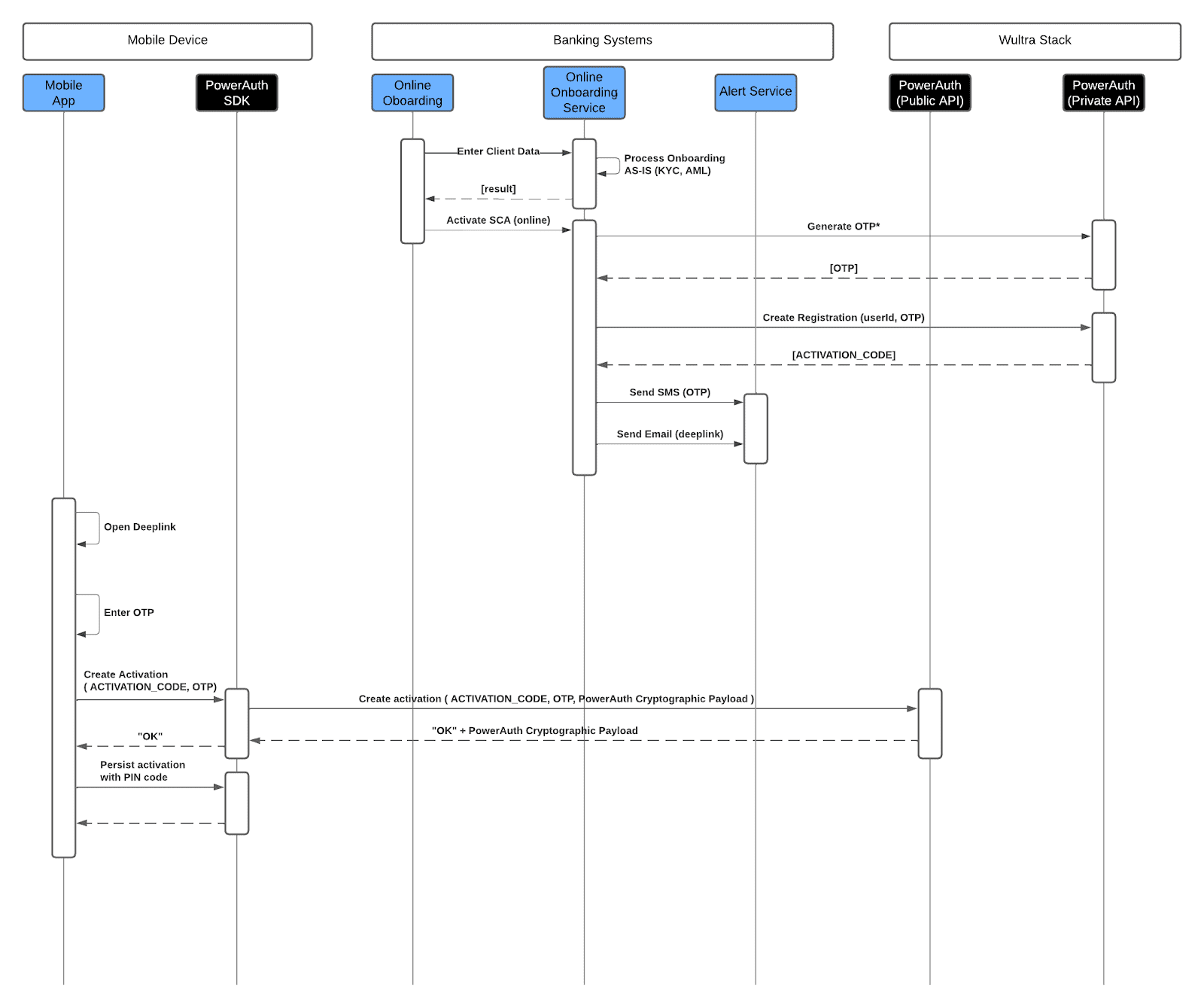
- The journey starts when client data is entered into the online onboarding service on the Bank side. If the standard KYC and AML checks to verify the client’s identity and eligibility are successful, the service proceeds with SCA activation.
- The Bank system calls the Wultra back-end system to initiate the generation of a One-Time Password (OTP). This OTP serves as an additional security layer by ensuring that the person attempting to activate the account is in possession of the registered phone number associated with the account.
- After this, two parallel communications occur: an SMS containing the OTP is sent to the client’s phone number, and an email containing a deep link is sent to the client’s email address.
- Upon receiving the email and SMS OTP, the client opens the deep link that includes the activation code, inputs the OTP into the mobile app, and initiates the activation process. This involves sending the activation code, the OTP, and the PowerAuth Cryptographic Payload to Wultra’s backend through public API, which, upon successful validation, returns an acknowledgment (“OK”) along with the PowerAuth cryptographic payload to the PowerAuth SDK in the mobile app.
- Then, the client is prompted to set up a PIN code, which is used to securely persist the activation data on the device. This step finalizes the mobile app’s binding, enabling secure transactions and interactions.