
Change PIN
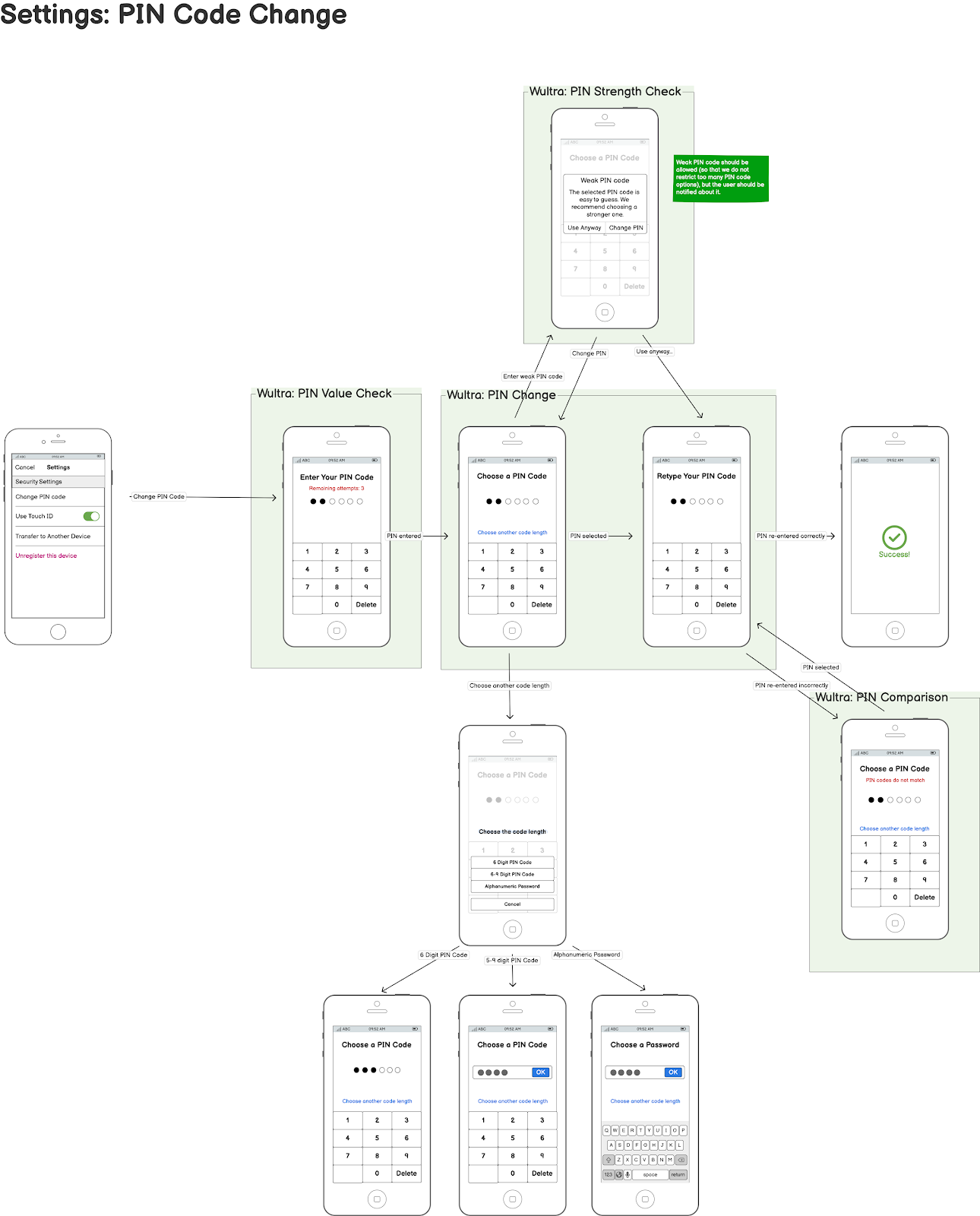
User Journey
This diagram illustrates the process of changing the PIN on a mobile app integrated with the PowerAuth SDK, which interacts with the Wultra backend.
Integration
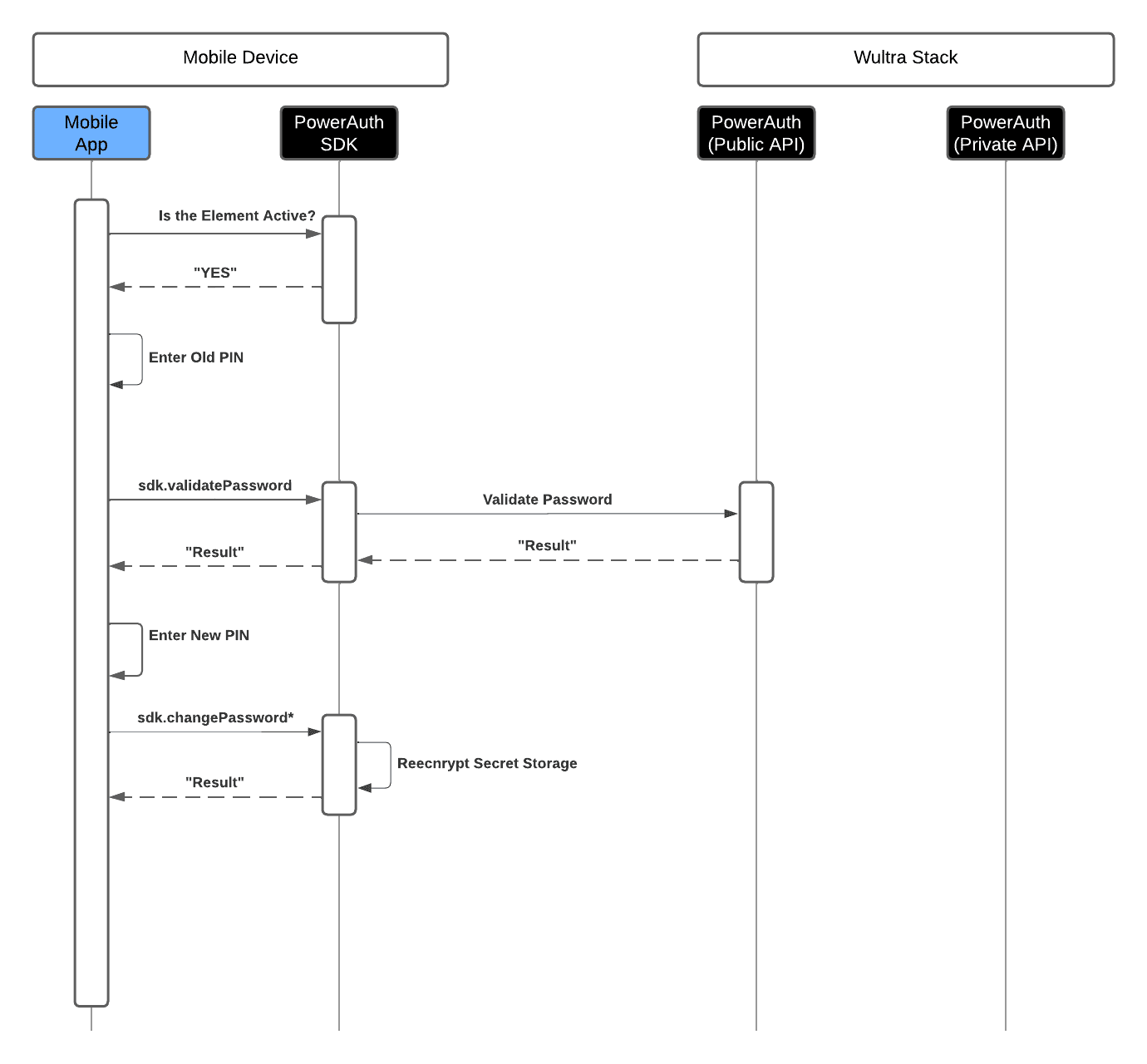
- The process starts with the mobile app verifying if the security element is active. Once verified, the user is prompted to enter their old PIN.
- If the operation with the old PIN is validated successfully on the Wultra backend, the user is asked to enter a new PIN. The PowerAuth SDK processes the new PIN, re-encrypts the secret storage with the new PIN, and confirms the change by sending a result back to the mobile app.