
Remove Device (Mobile App)
Integration
This diagram illustrates the process for removing a device using a mobile app integrated with PowerAuth SDK. The mobile app interacts with the Bank Business Service and Wultra SaaS to securely handle device removal requests.
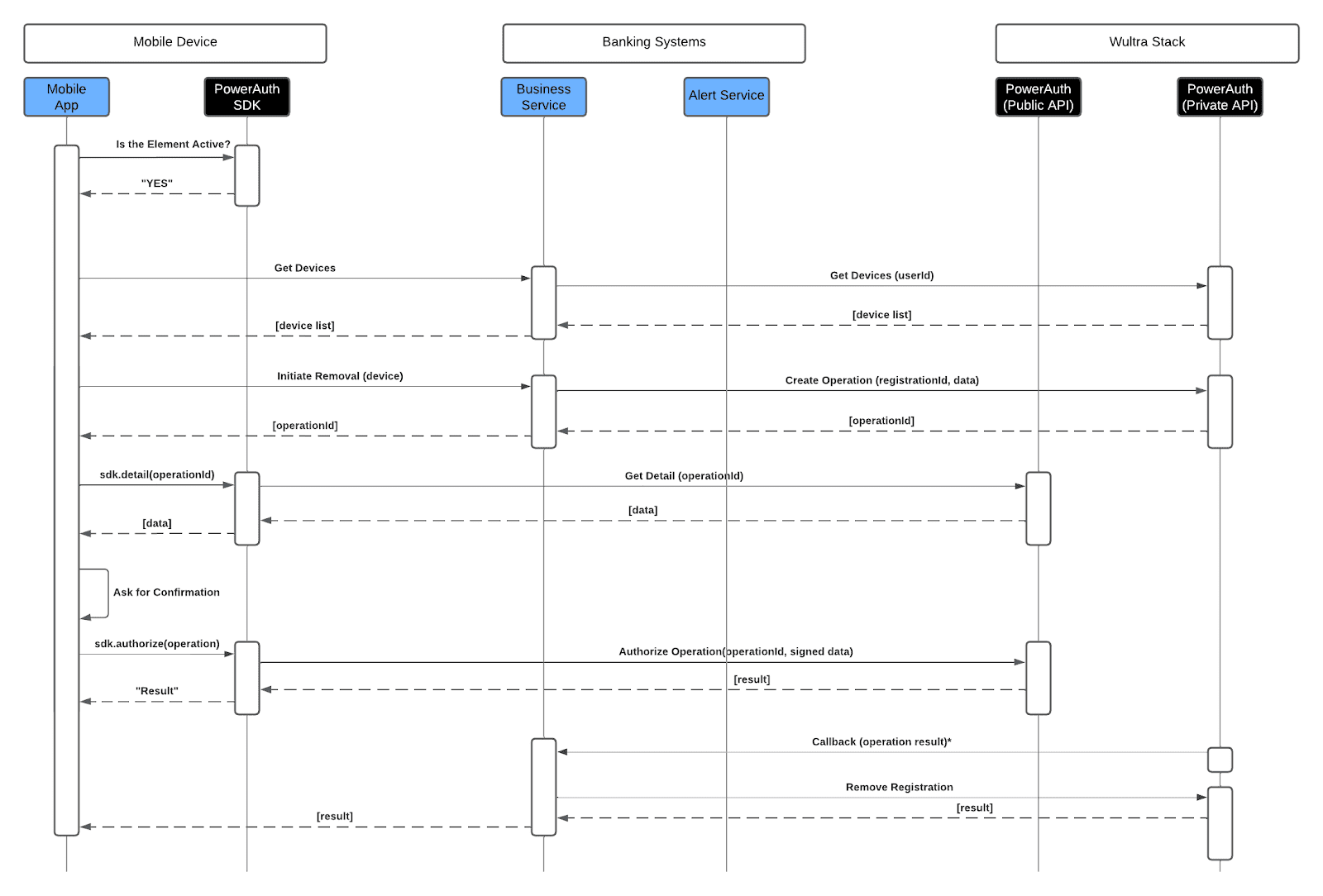
- The process begins with the mobile app checking if the security element is active. Once verified, the user initiates the removal by fetching the list of registered devices. The user selects the device to be removed, and the mobile app sends a removal request.
- The Business Service creates a new operation related to the removal, and the mobile app prompts the user to confirm the removal.
- Upon successful authorization, the device registration is removed and a confirmation is sent back to the mobile app, completing the removal process securely.