Remove Device (Backoffice)
User Journey
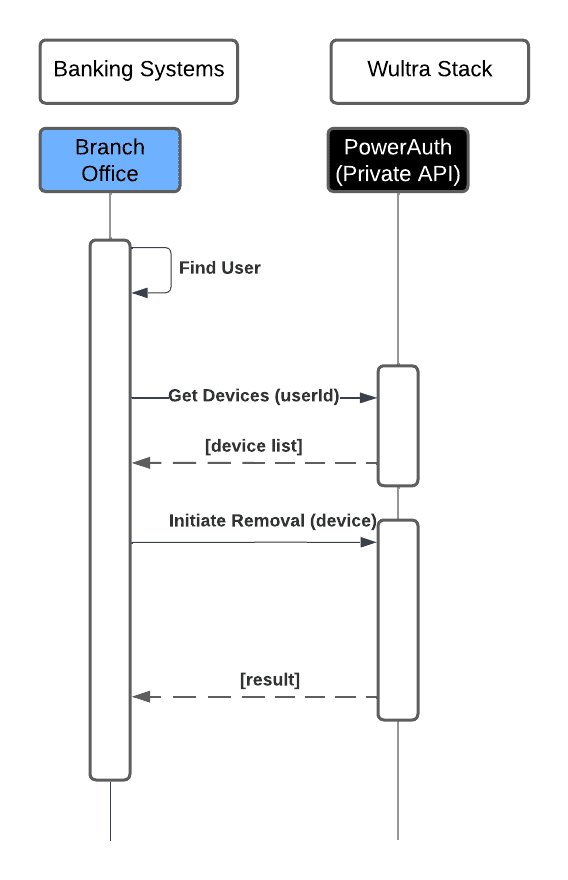
This simple diagram illustrates the process of an authorized person removing a device through a branch office.
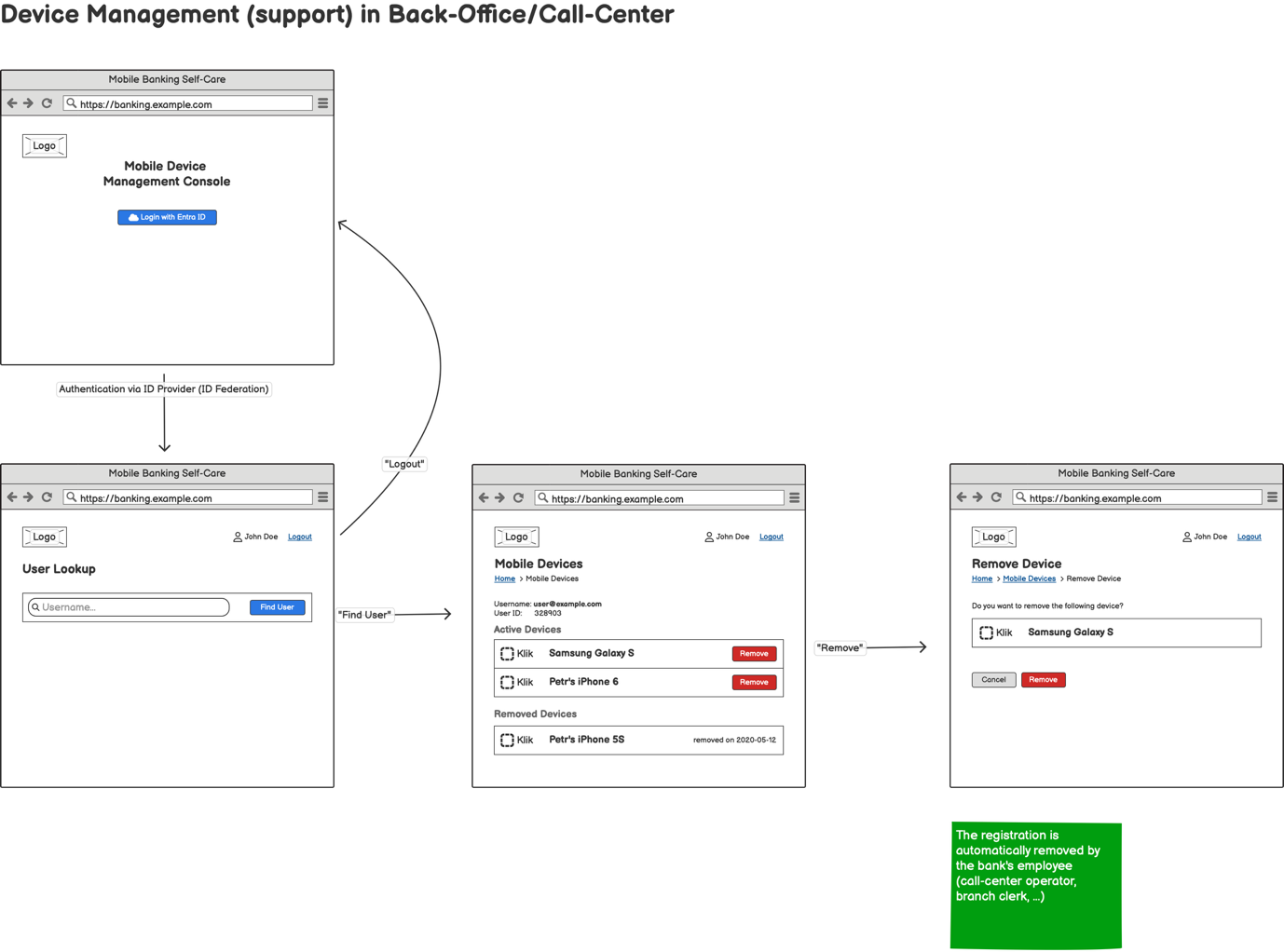
- The process begins with the branch office representative identifying the user in the system.
- Once the user is found, the branch office sends a request to Wultra to retrieve the list of devices associated with the user’s account.
- After receiving the device list, the branch office selects the device to be removed and initiates the removal request. Wultra processes the request and sends a confirmation back to the branch office to complete the device removal process.
Integration