
Remove Device (Web Banking)
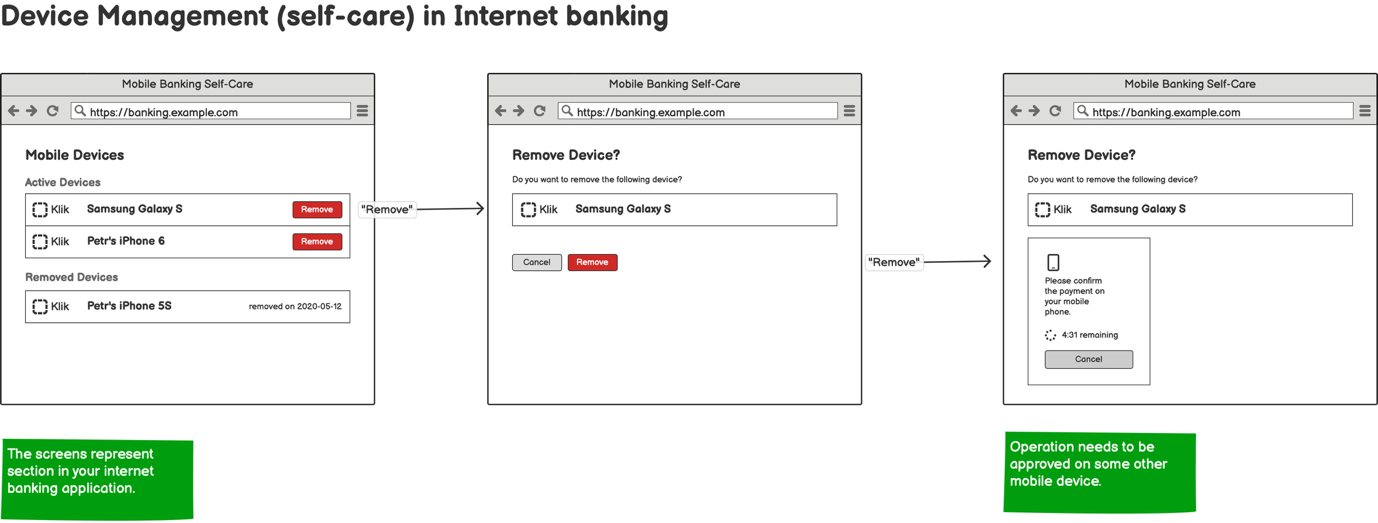
User Journey
This diagram illustrates the process for removing a device through web banking using a mobile app integrated with PowerAuth SDK.
Integration
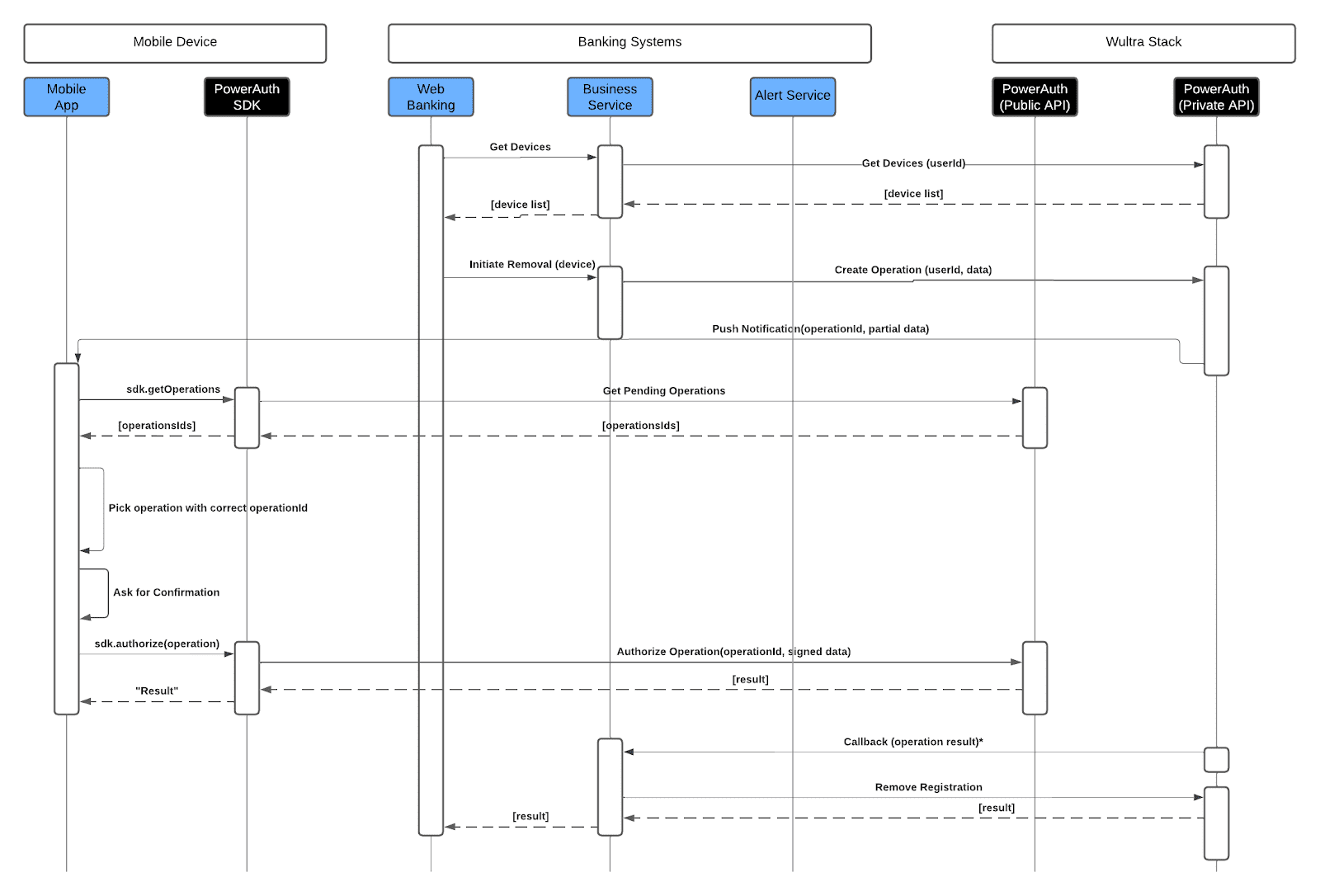
- The user initiates the removal by accessing the web banking application, which fetches the list of registered devices by calling the API (Get Devices endpoint). The user selects the device to be removed, and the removal request is sent to the Business Service.
- The Business Service creates a new operation related to the removal. A push notification is sent to the client, and the mobile app prompts the user to confirm the removal.
- Once the user authorizes the operation, the device registration is removed, and a confirmation is sent back to both the web banking platform and the mobile app, completing the removal process securely.