
Device Cloning
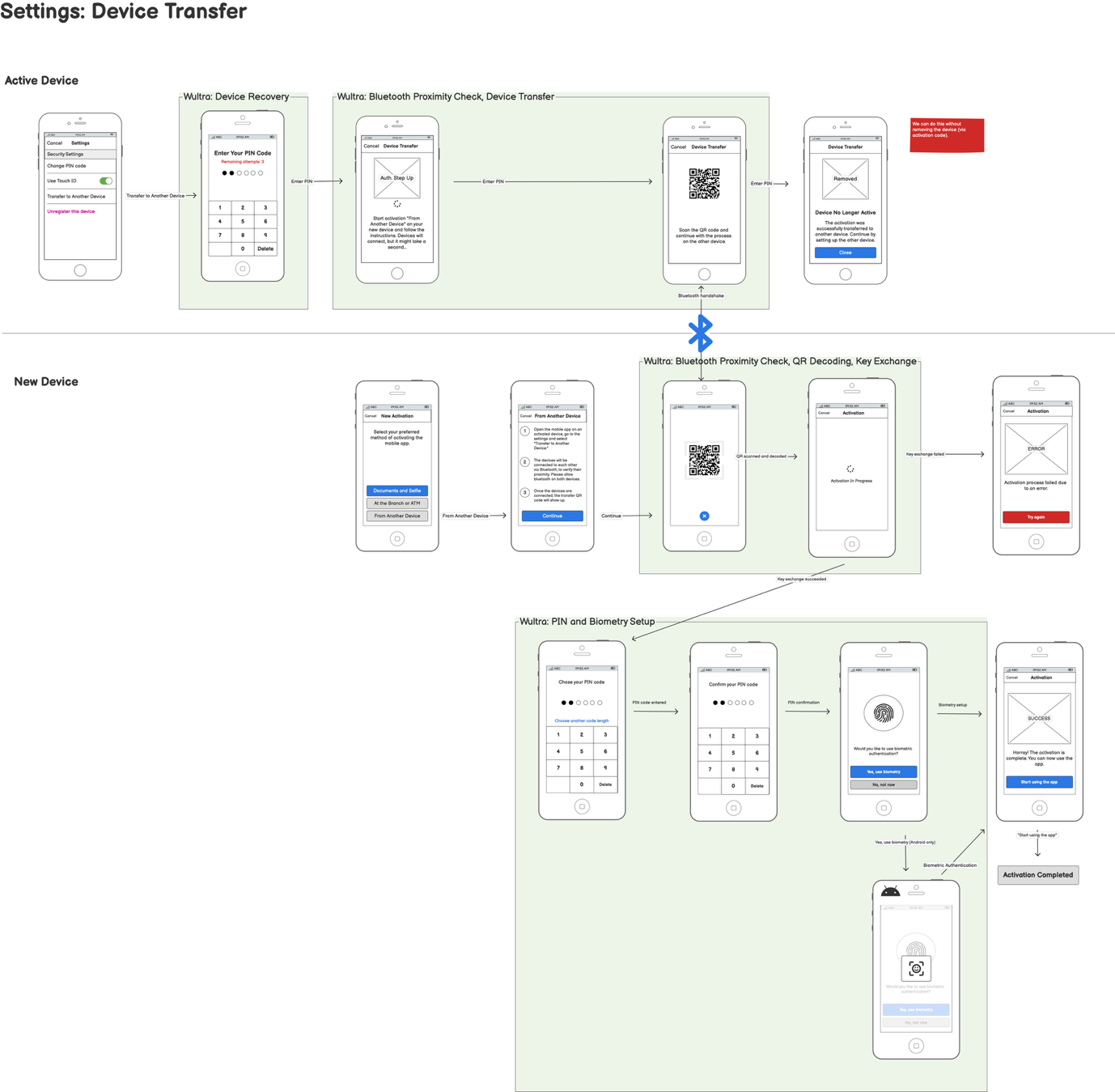
User Journey
This diagram illustrates the process for cloning or transferring a mobile device activation involving both a source and a receiver device.
Integration
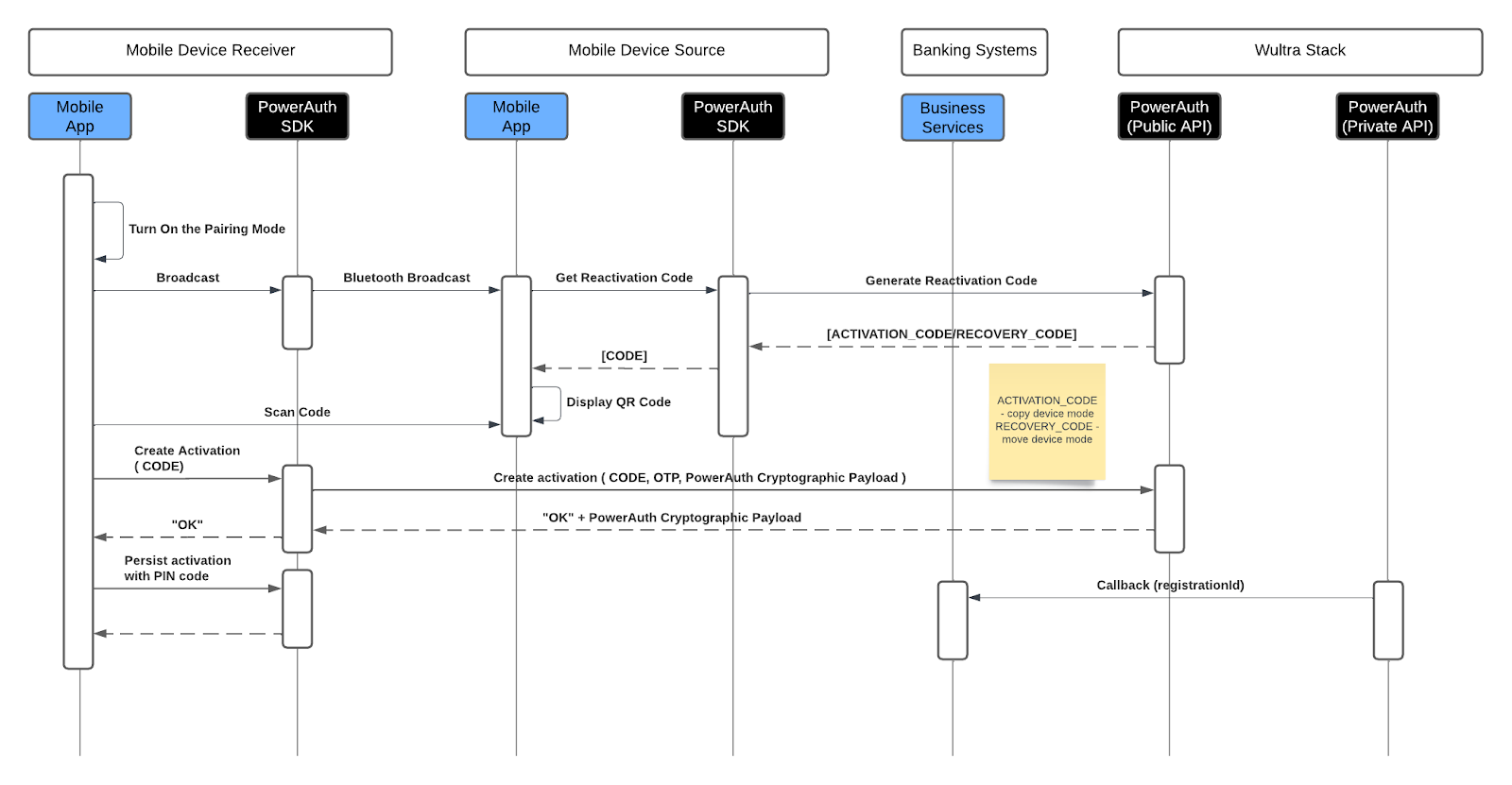
- The process begins on the mobile device receiver, where the user activates pairing mode. The mobile app then starts broadcasting via Bluetooth. Simultaneously, the source device requests a reactivation code, which generates the necessary activation or recovery code from the Wultra system.
- Once the source device receives the reactivation code, it displays it as a QR code. The receiving device scans the QR code to capture the reactivation code. The receiver device uses this code to create an activation request, which includes the code and PowerAuth cryptographic payload. The request is validated, and upon successful verification, the receiver device completes the activation.
- The mobile app prompts the user to set up a PIN code to persist the activation securely on the new device, finalizing the cloning/transferring process.